|
Pen : HTTP Load Balancing
2015/06/10 |
|
Install pen which is lightweight simple Load Balancing software.
It is TCP protocol based, so it's possible to balance not only HTTP but SMTP, FTP, LDAP and so on. This example is based on the environment like follows.
        |
--------+--------------------------------------------------------------------
        |
        +-------------------+--------------------+--------------------+
        |10.0.0.30          |10.0.0.51           |10.0.0.52           |10.0.0.53
 +------+-----+     +-------+------+     +-------+------+     +-------+------+
 |  Frontend  |     |   Backend#1  |     |   Backend#2  |     |   Backend#3  |
 | Pen Server |     |  Web Server  |     |  Web Server  |     |  Web Server  |
 +------------+     +--------------+     +--------------+     +--------------+
|
|
Configure Pen to load balance to Backend#1, Backend#2, Backend#3 web servers.
|
|
| [1] | Install Pen. |
|
# install from EPEL [root@dlp ~]# yum --enablerepo=epel -y install pen
|
| [2] | Configure Pen. |
|
[root@dlp ~]#
vi /etc/pen.conf # create new # log file LOGFILE=/var/log/pen.log # statics report file WEBFILE=/var/www/pen/webstats.html # max connections MAX_CONNECTIONS=256 # send X-Forwarded-For header XFORWARDEDFOR=true # Round-Robin mode ROUNDROBIN=true # listening port PORT=80 # number of backends BACKEND=3 # define backend servers SERVER1=10.0.0.51:80 SERVER2=10.0.0.52:80 SERVER2=10.0.0.53:80
#!/bin/bash

# pend: Start/Stop Pend
# chkconfig: - 90 10
# description: Pen is a light weight simple load balancer.
# pidfile: /var/run/pen.pid

. /etc/rc.d/init.d/functions
. /etc/pen.conf

LOCKFILE="/var/lock/subsys/pen"
PID=/var/run/pen.pid
PROG=/usr/bin/pen
PROGNAME=Pend

RETVAL=0
start() {
    SERVER=`grep "^SERVER" /etc/pen.conf | cut -d= -f2`
    [ $XFORWARDEDFOR = "true" ] && SERVER="-H $SERVER"
    [ $ROUNDROBIN = "true" ] && SERVER="-r $SERVER"
    [ $SSLCERTS ] && SERVER="-E $SSLCERTS $SERVER"

    echo -n $"Starting $PROGNAME: "
    daemon $PROG $PORT -w $WEBFILE -x $MAX_CONNECTIONS -p $PID -l $LOGFILE -S $BACKEND $SERVER
    RETVAL=$?
    echo
    [ $RETVAL -eq 0 ] && touch $LOCKFILE
    return $RETVAL
}
stop() {
    echo -n $"Stopping $PROGNAME: "
    killproc $PROG
    RETVAL=$?
    echo
    [ $RETVAL -eq 0 ] && rm -f $PID $LOCKFILE
    return $RETVAL
}
case "$1" in
    start)
        start
        ;;
    stop)
        stop
        ;;
    status)
        status -p "$PID" -l $PROG $PROGNAME
        ;;
    restart)
        stop
        start
        ;;
    *)
        echo $"Usage: $0 {start|stop|status|restart}"
        exit 1
esac
exit $?
[root@dlp ~]#
chmod 755 /etc/rc.d/init.d/pend [Unit] Description=Pend service After=network.target [Service] Type=oneshot RemainAfterExit=yes ExecStart=/etc/rc.d/init.d/pend start ExecStop=/etc/rc.d/init.d/pend stop [Install] WantedBy=multi-user.target systemctl start pen [root@dlp ~]# systemctl enable pen |
| [3] | Configure httpd on backend servers to record logs of X-Forwarded-For. |
|
[root@www ~]#
vi /etc/httpd/conf/httpd.conf # line 196: change LogFormat " \"%{X-Forwarded-For}i\" %l %u %t \"%r\" %>s %b \"%{Referer}i\" \"%{User-Agent}i\"" combined
systemctl restart httpd |
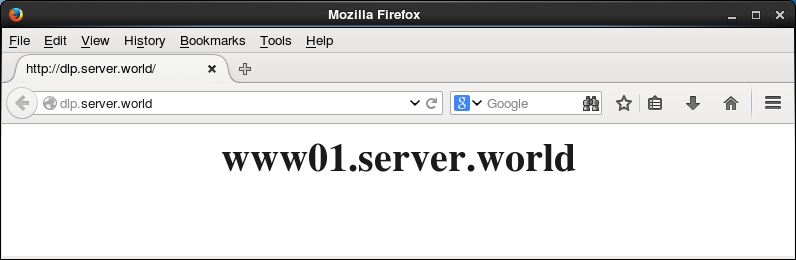
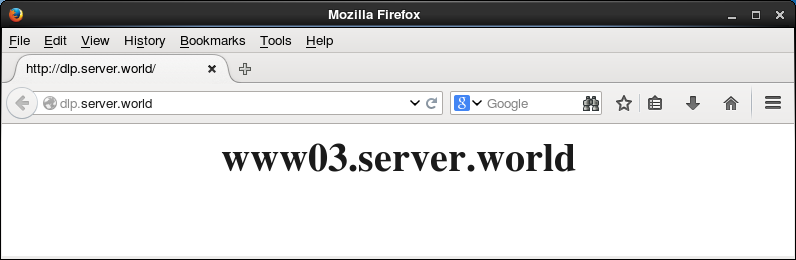
| [4] | Make sure all works fine to access to the frontend server from a Client with HTTP like follows. |
|
|